
Entry Exporter
Gravity Forms
Simplify Gravity Forms entry management, with automated scheduled entry exports; with custom column mapping.
Entry Exporter for Gravity Forms
Description
Gravity Forms is a robust and popular form creation plugin for WordPress, which comes with a basic exporting tool built-in. The problem is that it’s a manual process which requires you to log in, select the fields and date range to export and then wait for it to complete.
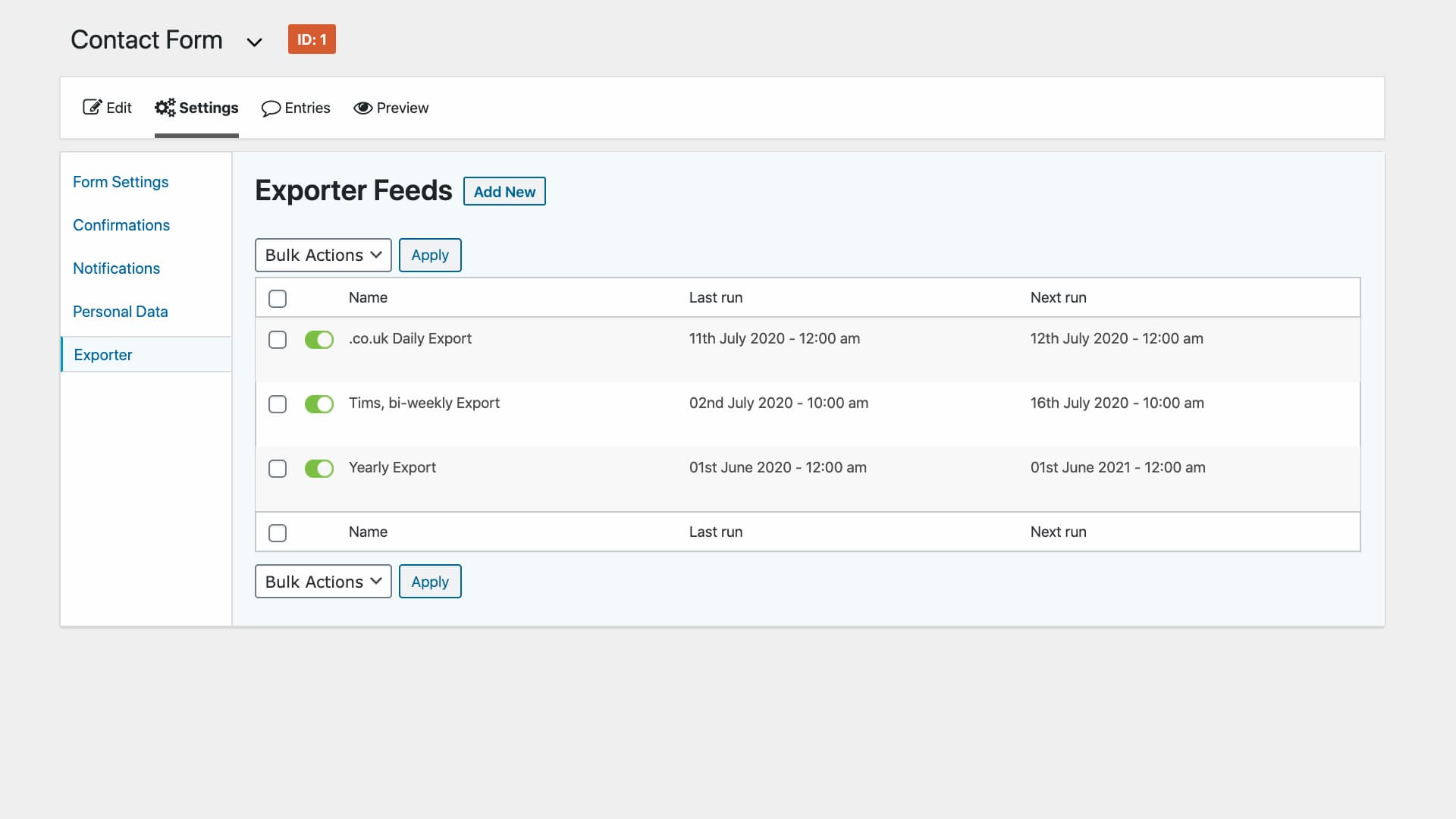
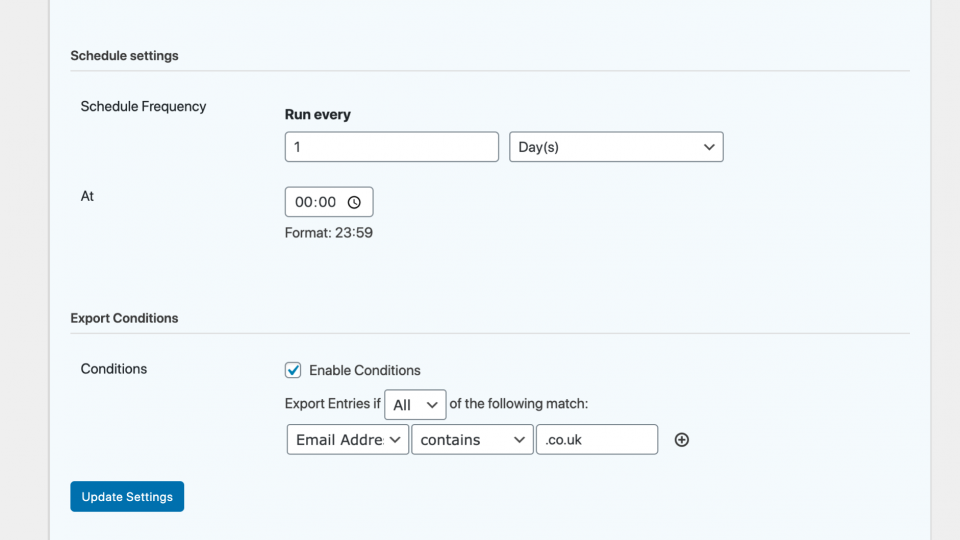
The Entry Exporter for Gravity Forms plugin is for anyone that needs an automated solution for exporting entries from Gravity Forms. Using it allows you to create a template, and schedule to export the entries every x number of days, weeks, or months. It will then send an email containing CSV of all the exported entries from between the last run time and current run time.
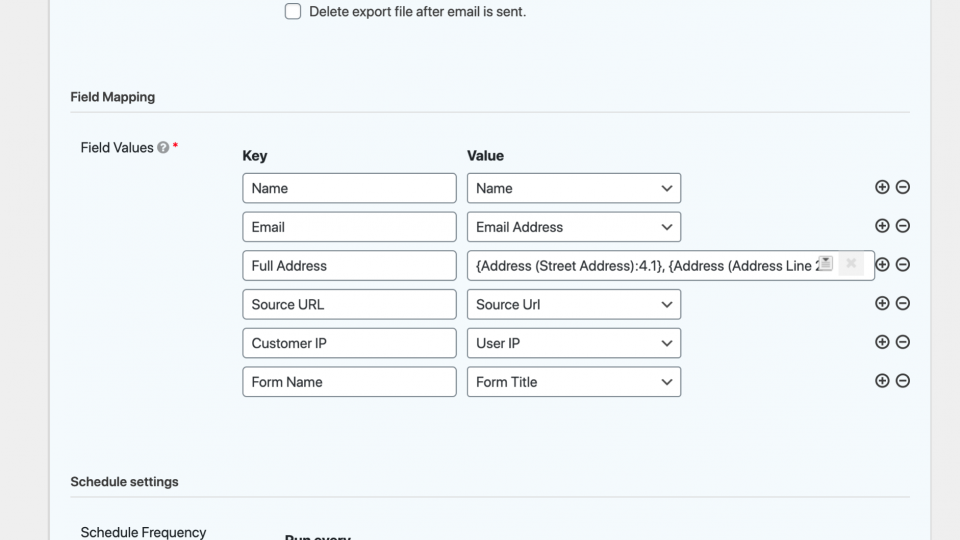
You can also select which fields are included in the export as well as what column heading they should be under, which is perfect for anyone looking for a way to export entries to import them into another system.
Entry Exporter for Gravity Forms
Features
Custom spreadsheets in seconds
Create an export template that suits you.
Effortlessly, select which fields are included in your export, rename the column headings and even combine multiple data fields into one.
Conditional filters
Export only the entries you need.
Create rules to determine exactly which entries end up in the exported file.
Flexible scheduling
Run exports automatically on any schedule.
Choose how often you’d like to receive an export in x days, weeks or years, set up a cron job, and let the plugin handle the rest.
Rated 5 out of 5 stars
What our customers say
Reviews
 Recommended for Many Reasons
I thought Entry Exporter was going to solve some problems for my client, but I had no idea how well it was going to work out. The care, assistance, and support I received from Digital Duck was outstanding. I won’t hesitate to return again and again for other plugins or custom development. First rate!
Entry Exporter for Gravity Forms
Crammed with
exporting awesomeness
Unlimited Schedules
Create as many export schedules as you need, each with their own settings.
Emailed Entries
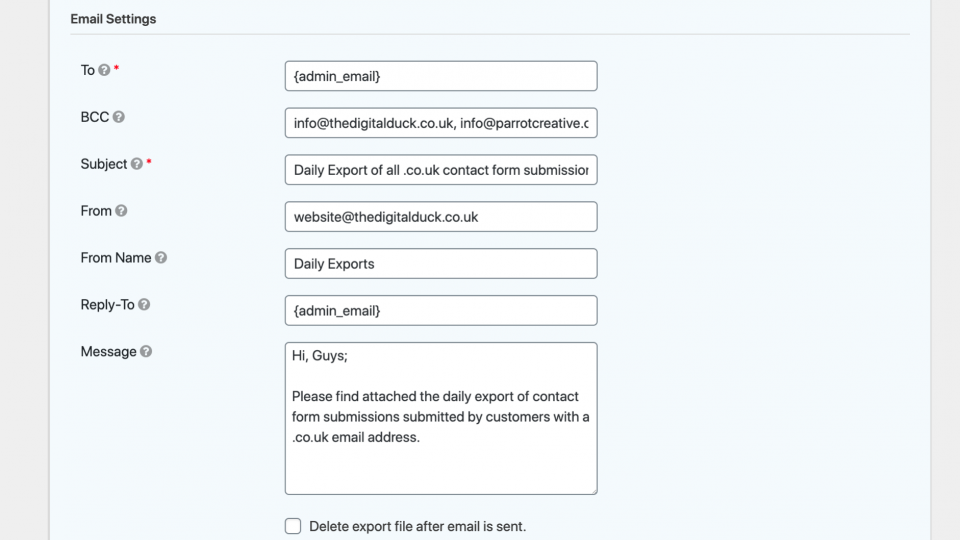
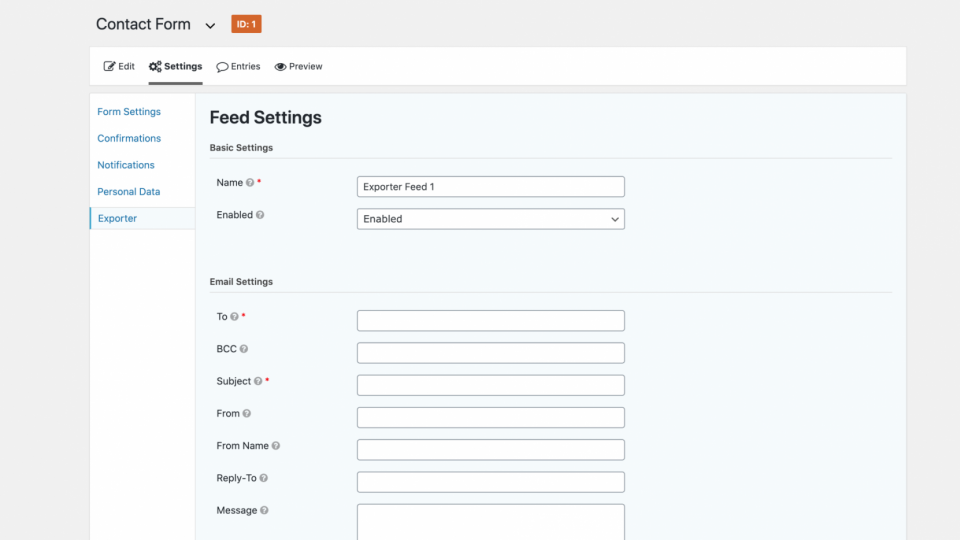
Send exported entries to multiple recipients, along with a custom message and subject.
Combined Field Mapping
Combine multiple data fields into a single column. Perfect for address fields.
Custom Field Mapping
Add custom data to your export with custom field mapping.
Conditional exports
Include only the entries that match specific criteria.
Developer Friendly
Expand, modify and adapt by using developer hooks and filters.
Documentation
Check out the documentation for the
Entry Exporter for Gravity Forms plugin.
Have a question?
Need help deciding if this plugin is the perfect fit for your use-case? Get answers straight from the developer.
Pricing, that’ll pay for itself in no-time.
You’re covered by our no-quibble, 30-day money-back guarantee.
Starter
Perfect for the single site entrepreneur.
- 1 site
- 1 year of support & updates
- 30-day money-back guarantee
- Email support
£19
Business
The ideal solution for the multi-site enterprise.
- Up to 5 sites
- 1 year of support & updates
- 30-day money-back guarantee
- Priority support
£79
Agency
“My people”. For the guys that handle a boatload of sites.
- Up to 20 sites
- 1 year of support & updates
- 30-day money-back guarantee
- Priority support
£199
Looking for a lifetime plan? Shoot us a message and we’ll talk you through the options?

100% MONEY-BACK GUARANTEE!
Your purchase is covered by our no-quibble, no-risk 30-day money-back guarantee. If for any reason you’re not completely happy with the plugin you’re entitled to a full refund, up to 30 days from your purchase.
Entry Exporter for Gravity Forms
Screenshots
Entry Exporter for Gravity Forms
FAQs
Will the export run at the exact time I specify?
Yes, we coded the plugin to run at the exact time you set. We recommened setting up a cron job to ensure the export process is triggered on time.
Can I change the column headings
Yes, column headings are set by you during the schedule setup process. You can find out more from our documentation.
Can I combine multiple fields into one
Yes, we utilise the Gravity Forms merge tags to make it simple to export multiple data fields under one column heading. You can find out more from our documentation.
Technical Details
| Version | 1.0.7 |
| Last updated | 8 months |
| WordPress | 6.1.1 |
| PHP | 5.6 |
| Rating |
Testimonials
Our Happy Customers
He just gets it and is able to understand our commercial and operational objectives in a way that I have not seen with previous web developers we have used.
Nick
Founder of The Dorset Meat Company
I would recommend to anyone experiencing any kind of website problems and will 100% be returning to them should any problems arise in the future! Thank you, thank you, thank you!!
Stacey
Founder of Crummbs
Toby and the team at Digital Duck have been great to work with. From the very start, everything exceeded expectations and communication and support along the way have been first class.
Beth Nicholas
Matchbox Media
They really listen to customers and take feedback and feature requests extremely seriously. The plugin is very well coded and lightweight, and an absolute godsend to our business. I’d highly recommend them to anybody thinking about buying one of their plugins.
Matthew Andrews
Enviroli
Why Work With
Digital Duck?
Enhance your website, improve your daily workflow and grow your business. Our plugins are all designed to boost your productivity and get more customers.

UK based everything
Our team is in the UK. Providing services, with the tongue, and cheek humour that we Brits are known for.
Fantastic support
Fast, friendly and personal support. Need a thing? We’re keen to help out and will reply within 24 hours (during weekdays).
Lightweight codebase
All our plugins are built in-house and undergo rigorous “code reviews”; ensuring best practices and WordPress standards.
Regular updates
Frequent updates to add new features and compatibility with the latest versions of WordPress and WooCommerce.
Detailed Knowledge base
Our detailed knowledge base is full of tutorials, code snippets and tips to help you get the most from your purchase.
Have your say!
We don’t just make commercial plugins. If you need a bespoke feature or some plugin modifications we got you covered.
Our Products
WordPress Plugins
-

WooCommerce Parcelforce Integration
Generate, print and manage your Parcelforce and Royal Mail shipping labels in bulk from within the WooCommerce dashboard.
-

MailerLite Integration for WPForms
Connect WPForms with MailerLite and create high-class newsletter forms with little to no effort.
Need a bespoke plugin for your WordPress site?
Recent posts from our
WordPress Blog
-
Read more: The Importance of Continuous Website Improvement

The Importance of Continuous Website Improvement
-
Read more: The Importance of Website Hosting for Your Business
The Importance of Website Hosting for Your Business


Your Account
Manage your downloads, invoices and referral
earnings. It’s all, you buddy!
Support
Need some help with your plugin or account? We’re told that
we’re on the ball when it comes to questions.